Embeddable Importer
Embeddable CSV importer for B2B SaaS onboarding, with guided mapping and validation built in.
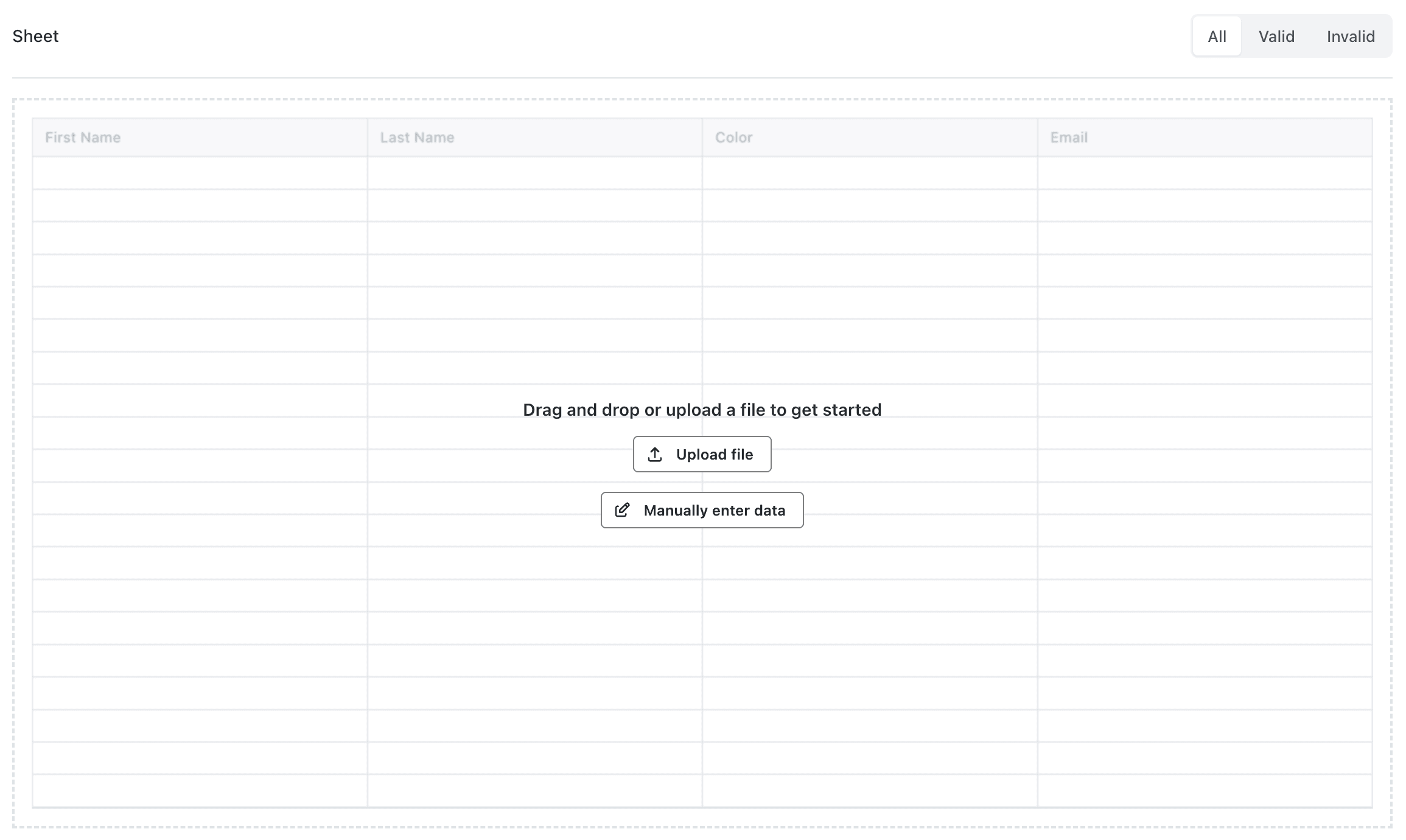
Step 1 · Choose how to import
Let users paste data or upload a CSV/XLSX file from their system.
- • Drag & drop upload
- • Manual entry
- • Paste from clipboard
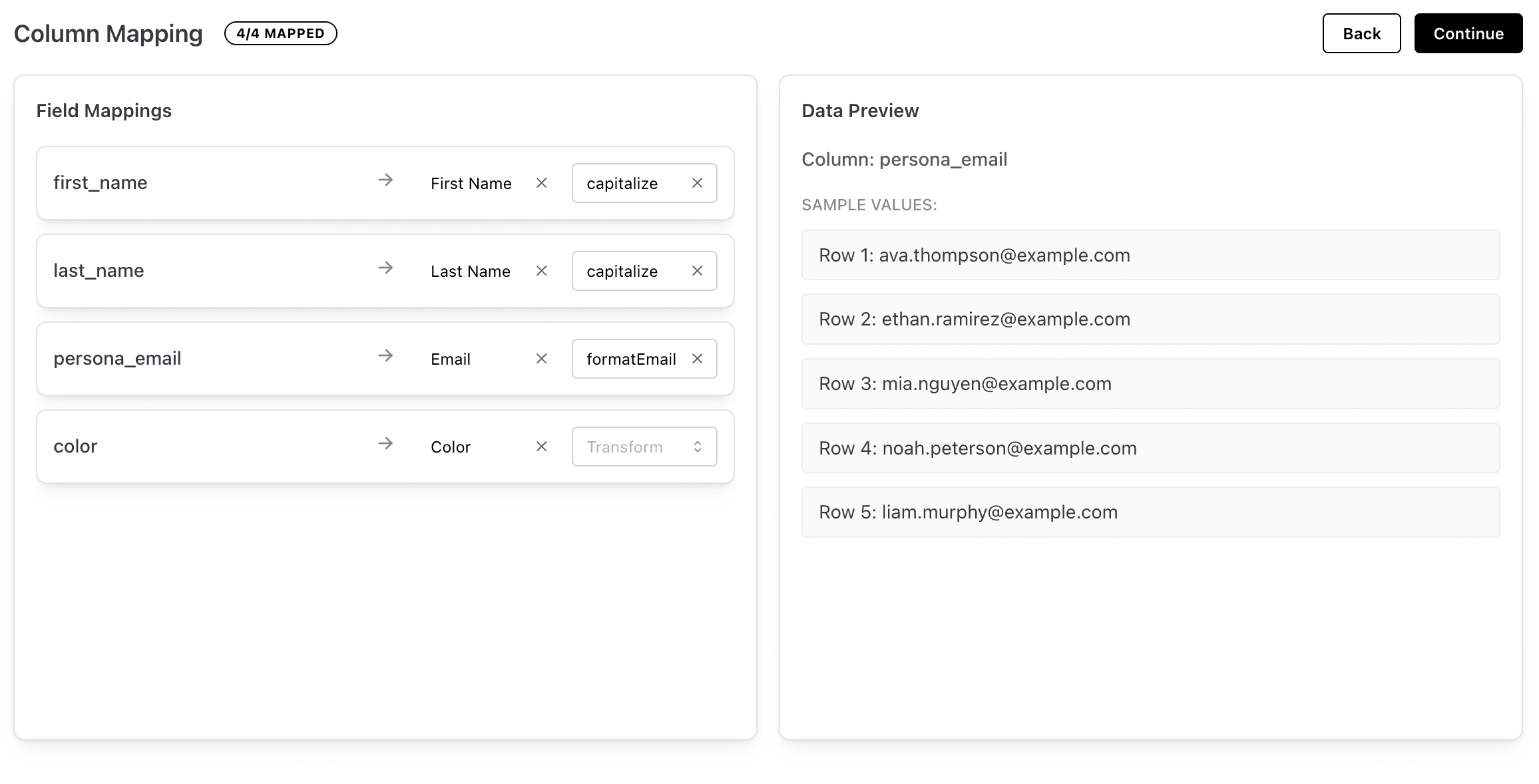
Step 2 · Map and prepare fields
Guide users to match their columns to your schema and apply transforms.
- • Best‑match suggestions
- • Required field indicators
- • Preview of mapped headers
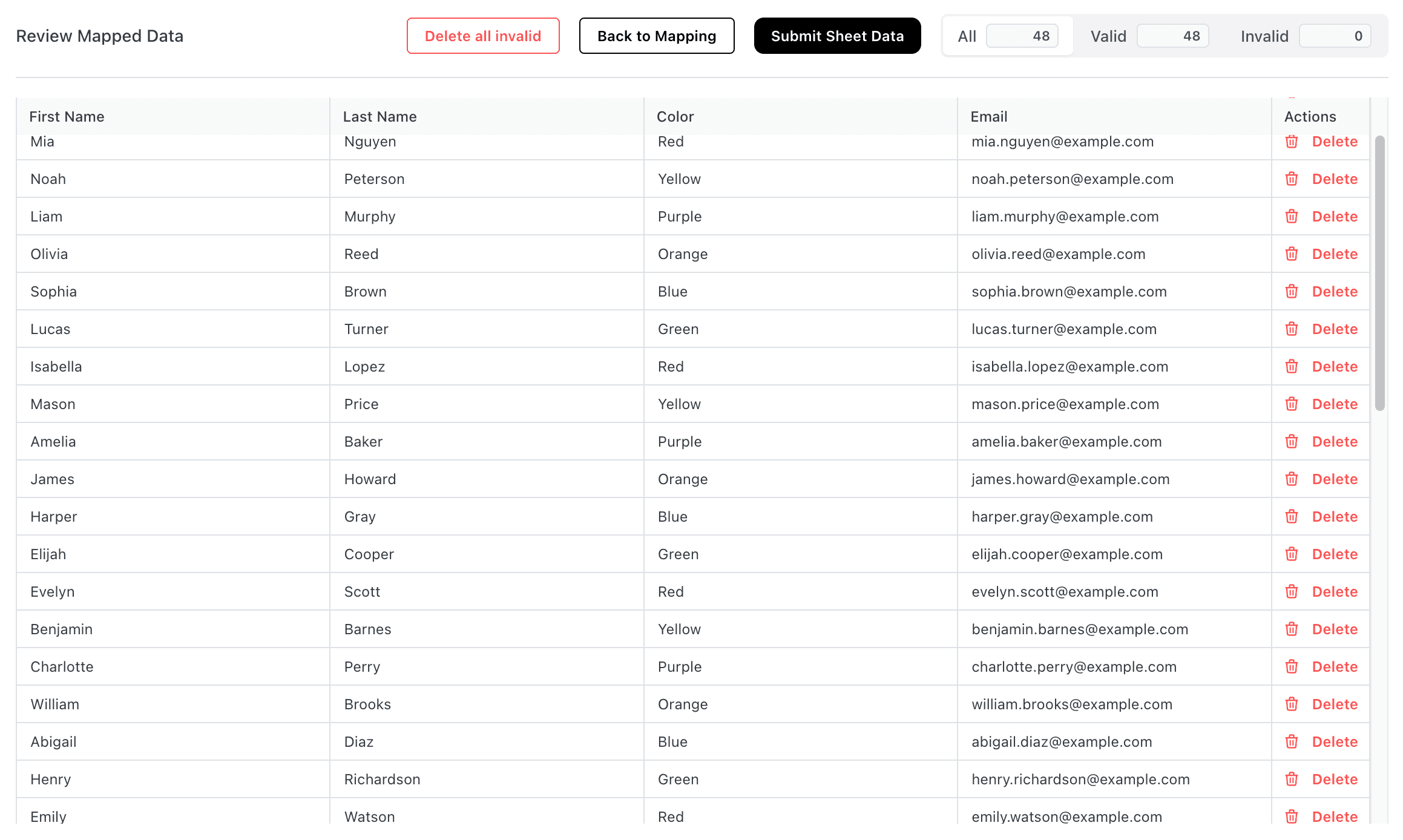
Step 3 · Review and clean data & Submit
Show a live preview with inline validation so issues are fixed before import.
- • Row‑level errors
- • Filters for invalid rows
- • Quick fixes for common issues
1 · Install from npm
Add the React SDK to your application:
npm install @filefeed/react
# or
yarn add @filefeed/react
2 · Minimal sheet config
Describe the data you expect to receive. FileFeed uses this config for mapping, validation and transformation.
import type { Filefeed } from "@filefeed/react";

const sheetConfig: Filefeed.SheetConfig = {
  name: "Contacts",
  slug: "contacts",
  fields: [
    { key: "firstName", type: "string", label: "First name", required: true },
    { key: "lastName", type: "string", label: "Last name", },
    { key: "email", type: "email", label: "Email", },
    { key: "company", type: "string", label: "Company" },
  ],
};
3 · Minimal React example
Minimal usage: define a sheet, render a button, and include FilefeedSheet.
import type React from "react";

import {
  FilefeedSheet, useFilefeed, type Filefeed
} from "@filefeed/react";

const sheetConfig: Filefeed.SheetConfig = {
  name: "Contacts",
  slug: "contacts",
  fields: [
    { key: "firstName", type: "string", label: "First name" },
    { key: "lastName", type: "string", label: "Last name" },
    { key: "email", type: "email", label: "Email" },
  ],
};

export default function Importer() {
  const { open, openPortal, closePortal } = useFilefeed();

  return (
    <div>
      <button onClick={() => (open ? closePortal() : openPortal())}>
        {open ? "Close Importer" : "Open Importer"}
      </button>

      <FilefeedSheet
        config={sheetConfig}
        onSubmit={({ rows, slug }) => {
          console.log("Imported", rows.length, "rows for", slug);
        }}
      />
    </div>
  );
}
Frequently Asked Questions
Is FileFeed an alternative to Flatfile or OneSchema for CSV imports?
Yes. It provides mapping, validation, normalization, and delivery without hosting your own importer or ETL glue.
Can I control the schema and validation rules?
You define the sheet config and can enforce required fields, data types, and formats. Invalid rows surface before submission.
How does delivery to my app work?
After validation, FileFeed delivers structured JSON to your API via webhooks or REST. You keep ownership of your data plane.
Will it feel native inside my product?
Yes. You embed the importer, style with your brand, and keep your own auth/session—users never leave your app.
What if customers bring messy headers or different formats?
Header suggestions and mapping help align to your schema; transforms and validations catch issues before import.
Ready to add file imports to your app?
Start with our free embeddable importer and add professional CSV/XLSX import functionality to your product in minutes.
No credit card required • Unlimited end users • Free forever